Manual
Minimalist music for everyone, by Reytian. Inspired by FM1-AMB and Philip Glass.
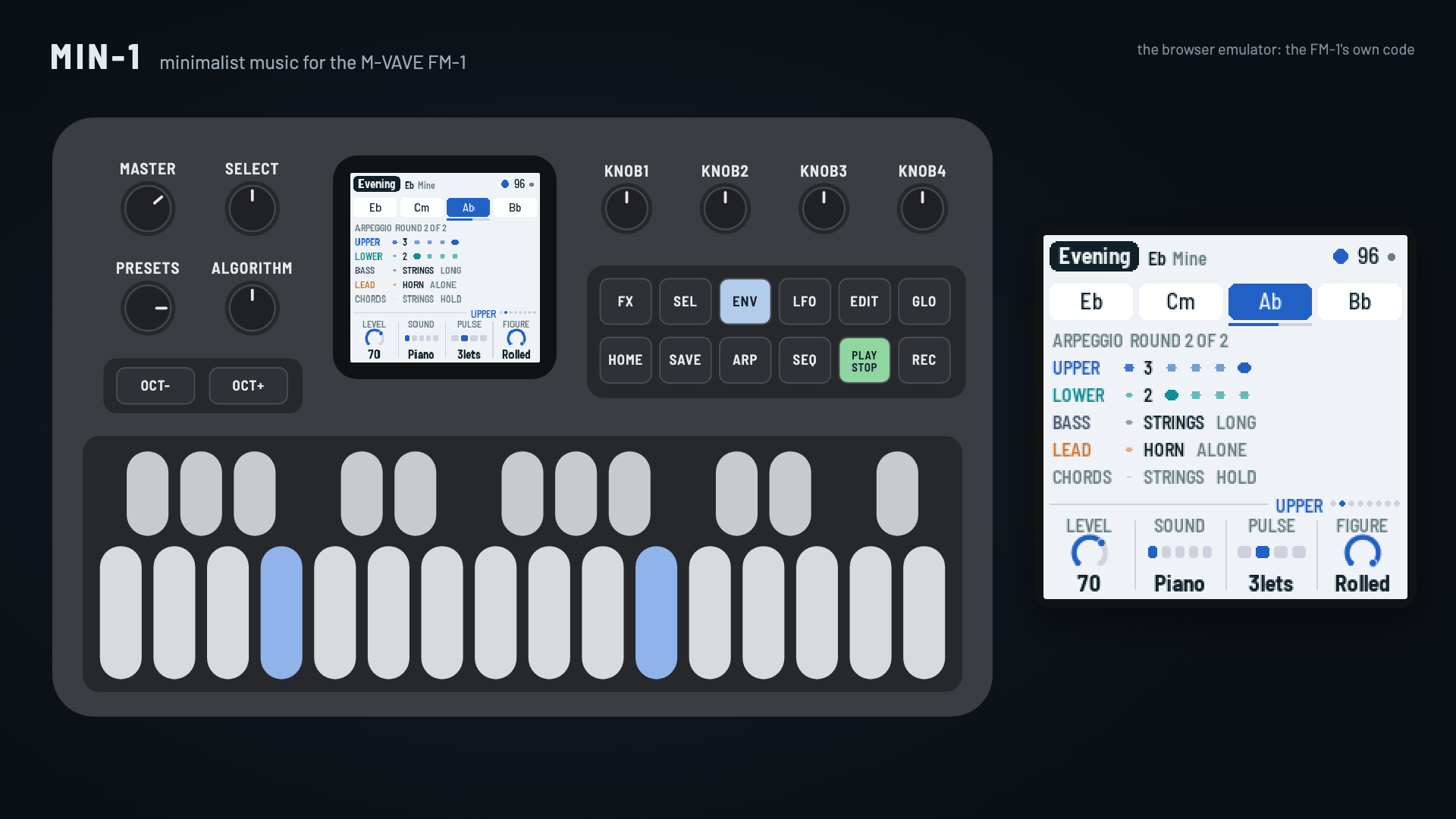
MIN-1 turns the M-VAVE FM-1 into a small minimalist ensemble, in the manner of the music of the 1960s to 80s that was made from very little: repeating figures, slow cycles of chords, processes you can hear. It plays itself from the moment it's switched on, so there is always something to start from; then you take over as much as you like: play your own chords (no theory needed: in EASY keys every key is a chord that fits), roll ideas and keep the ones you like, bring parts in and out by hand, put processes on the figures, and record it all as a song.
- Try it in your browser (no FM-1 needed): https://reytian.github.io/fm1-min1/emu/
- Install it (Chrome or Edge, with the FM-1 plugged in): https://reytian.github.io/fm1-min1/install/, or from the command line:
python3 tools/fm1_install.py min-0.2.1.fwsc(see BUILDING.md) - Download the firmware file: releases (
min-0.2.1.fwsc) - Watch the demo (3:49, recorded from the browser emulator, no voice-over): min1-demo.mp4
Four models
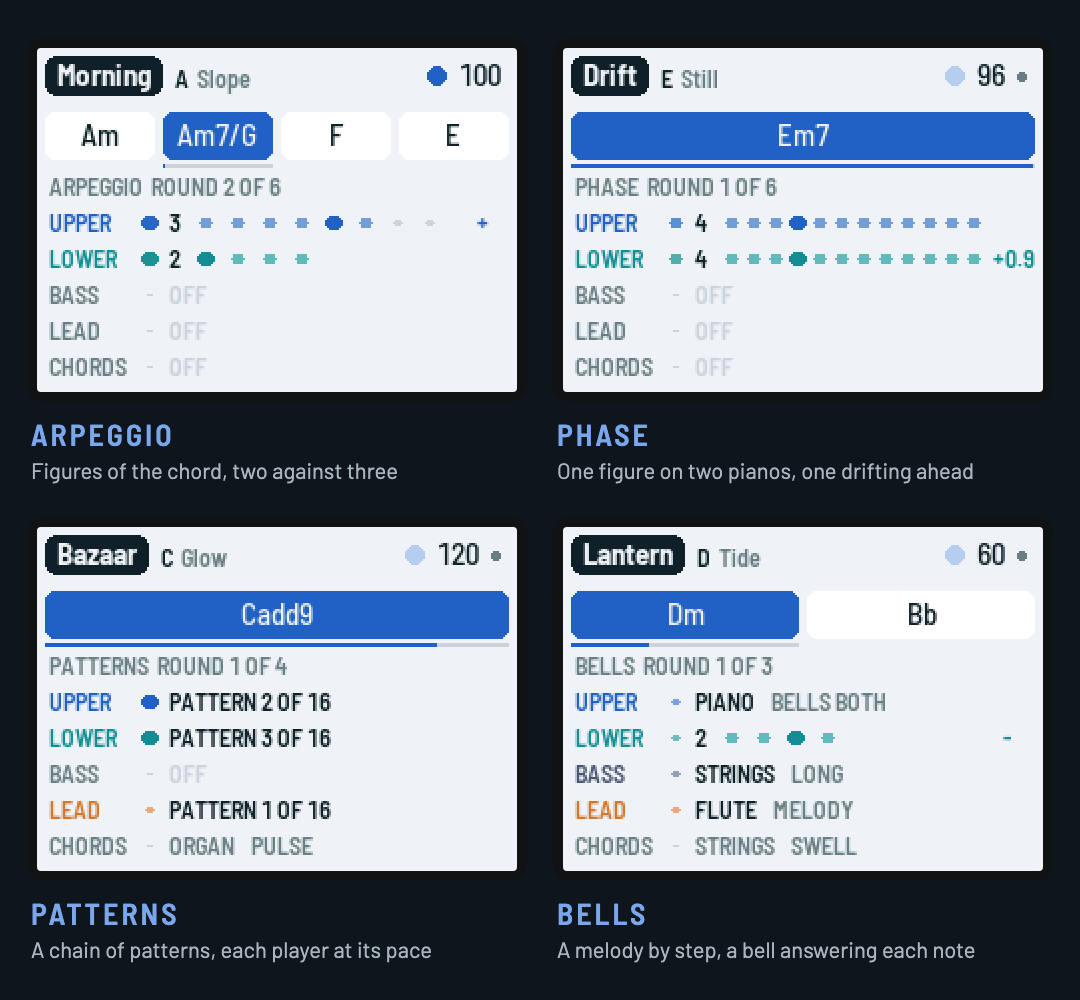
| Model | What it does | Pieces |
|---|---|---|
| ARPEGGIO | Figures of the chord's tones, two against three; the additive process grows and shrinks them a note at a time | Morning, Glacier, Lagoon, Machine, Skyline, Evening, Counting, Prism |
| PHASE | Two parts play one figure; the lower slowly drifts ahead, locks in a step ahead, drifts on, round to unison | Drift, Breath, Weave, Tilt |
| PATTERNS | A chain of short patterns, each a little changed from the last; three players move along it at their own pace over a high pulse | Bazaar, Field, Gears, Murmur |
| BELLS | A melody walks the scale by step in phrases that grow from one note; a bell answers each note with the chord's nearest tone | Vigil, Snowfall, Lantern, Chapel |
In short
| Keys | The chord. EASY (the default): each white key is a chord of the key, the tonic leftmost; the black keys the same chord with a seventh; several keys make a richer one. NOTES: the notes themselves. Let go and the cycle comes back |
| PLAY · REC · EDIT | Play / stop · record a song from the top (again: kept) · an idea for this page |
| SEL held | By hand: ENV ARP LFO SEQ FX bring a part in or out; EDIT goes back to the idea before; REC learns a cycle from the chords you play; PLAY switches songs / live; white keys 1–8: grow, shrink, shift, flip, still, slower, faster, a new section |
| HOME · ENV · ARP · LFO · SEQ · FX · GLO | The pages: Form, Upper, Lower, Bass, Lead, Chords, Setup (GLO again: System) |
| SELECT | The previous or next page; with HOME held, the tempo |
| ALGORITHM · PRESETS | The chord cycle (eighteen, Mine, Rolled) · the piece (twenty), or in SONGS the song (eight) |
| OCT− / OCT+ | The upper part's octave |
| SAVE | Saves pieces and songs; held, puts the piece back to its recipe (in SONGS: deletes the song) |
Hold any button for a second and a card says what it does; hold SEL and the screen shows its map. The design (in Chinese) is in docs/DESIGN.md.
From listening to making
- Listen. PRESETS goes through the twenty pieces; each plays itself.
- Play the harmony. Press white keys: each is a chord that fits. Turn HOLD on (Setup) and a chord stays until you press it again. The keys light where the cycle is, so you can play along.
- Roll ideas. On a page, EDIT rolls an idea for it: a new chord cycle (Form), a new figure (Upper, Lower), a new line or melody or set of patterns (Lead), a new bass, a new rhythm. SEL + EDIT goes back. Ideas are kept with the piece.
- Make your own cycle. SEL + REC, play two to eight chords one at a time, REC: they become "Mine".
- Arrange by hand. SEL + a part's page button brings it in or out at the next chord; SEL + white keys put processes on the figures.
- Record a song. REC starts from the top and records everything you do; REC again keeps it. PLAY plays it back exactly. SAVE keeps it, eight songs in all.
The pages
| Page | KNOB 1 | KNOB 2 | KNOB 3 | KNOB 4 |
|---|---|---|---|---|
| Form (HOME) | Evolve (Patterns: Move on) | Build | Process (Phase: Drift, Patterns: Spread, Bells: Phrases) | Chord (its length) |
| Upper (ENV) | Level | Sound | Pulse (notes a beat) | Figure (Patterns: Start, Bells: where the bells answer) |
| Lower (ARP) | Level | Sound | Pulse | Figure (Patterns: Start) |
| Bass (LFO) | Level | Sound | Style | Octave |
| Lead (SEQ) | Level | Sound | Activity (Patterns, Bells: Pace) | Harmony |
| Chords (FX) | Level | Sound | Rhythm (hold, swell, 8ths, beats, breath, pulse) | Room (the reverb) |
| Setup (GLO) | Tempo | Root | Keys (Easy / Notes) | Hold |
| System (GLO again) | Model | MIDI out | Lights | CPU |
Building and testing
The toolchain is AMB-1's and X0X's (see BUILDING.md):
tests/run_tests.sh      # the instrument, the platform pieces, the app in a simulator, the load on the FM-1
./build.sh              # build/min.fwsc
python3 tools/fm1_install.py build/min.fwsc     # install it over USB
build/host/min_host SCRIPT OUTDIR runs the whole app on a computer from a script (tests/scenarios/*.min), with audio and screenshots coming out. tests/host/min_render.c renders every piece to build/render/ and prints how hard each would work the FM-1's processor, from the instructions it runs (calibrated against X0X's published PERF TEST figures).
Installing firmware is at your own risk. An FM-1 that fails to start twice comes up in a safe mode with USB on, and M-VAVE's own firmware can always be put back: the web installer's "Back to the stock firmware", or see BUILDING.md.
Credits
MIN-1 is by Reytian. It is inspired by AMB-1, Charles Vestal's generative ambient firmware for the FM-1, and by the music of Philip Glass.
The platform (hardware layer, USB, update loader, storage, installer) is Felucca's by Leo Kuroshita (Hügelton Instruments), by way of Charles Vestal's X0X, FoMni and AMB-1, whose app layer, simulator and tools MIN-1 started from. The reverb is Jon Dattorro's plate ("Effect Design, Part 1", JAES 1997), as in AMB-1. The models follow techniques of the minimalist composers (arpeggiated cycles and additive process, phasing, chains of patterns played at each player's pace, tintinnabuli); no music is taken from their works. GPL-3.0-only; see LICENSING.md.
M-VAVE and FM-1 are trademarks of their owners. MIN-1 is not affiliated with M-VAVE, Hügelton Instruments, Charles Vestal, Philip Glass, or any composer.
中文简介
MIN-1 是 M-VAVE FM-1 的极简主义音乐固件,受 FM1-AMB 与 Philip Glass 启发。开机就自己演奏:重复的音型、缓慢的和弦循环、听得见的过程;然后交给你:按住白键就是和弦(不需要乐理),EDIT 随机出点子,教它你自己的和弦循环,亲手让声部进出,录下一首歌并原样回放。四种模型(琶音、相位、模式、钟声),二十首曲子。设计说明见 docs/DESIGN.md。在浏览器里试玩:https://reytian.github.io/fm1-min1/emu/;用 Chrome 或 Edge 安装:https://reytian.github.io/fm1-min1/install/。